
Pay to bKash Number
Personal number
01797116358
Open your bKash app and follow the appropriate payment option. Confirm the recipient name and amount before sending.
Please verify the number and recipient name in your bKash app before confirming any transaction.
Scan number QR
Scans to display the phone number only
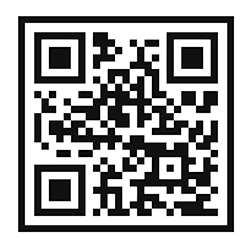
Not a payment QR: this code only contains the number 01797116358. For scan-to-pay, replace it with an official QR from bKash.
How to Pay
1
Open your bKash app.
Open your bKash app.
2
Select the correct transaction type.
Select the correct transaction type.
3
Enter 01797116358 and the exact amount.
Enter 01797116358 and the exact amount.
4
Verify the recipient, confirm, and save the Transaction ID.
Verify the recipient, confirm, and save the Transaction ID.
Important Reminder
- Check the recipient name and amount before confirming.
- Never share your bKash PIN or OTP with anyone.
- Keep your transaction ID for payment verification.
- Only use an official bKash payment QR for scan-to-pay transactions.